What Is A Wedding Planning Spreadsheet And Why Does Every Couple Need One
The Core Purpose Of A Wedding Planning Spreadsheet
A wedding planning spreadsheet serves as the central command center for every logistical detail. It aggregates complex data into a single, accessible interface. You use it to track vendor contracts, guest counts, and payment schedules. Without this tool, information stays scattered across emails and physical notes. Digital organization ensures that you maintain a clear overview of the entire project timeline. Your spreadsheet eliminates guesswork and prevents critical oversight.
Reliability is the primary goal of this tool. It allows for real-time updates that reflect current wedding status. You can instantly see how a change in guest count impacts your catering costs. This visibility enables faster decision-making and reduces stress. By centralizing data, you create a source of truth for all involved parties. High-level strategy requires this level of detail to manage resources effectively and meet strict deadlines.
How A Spreadsheet Replaces Costly Wedding Planning Software
Proprietary wedding apps often charge high fees for limited features. A spreadsheet provides a free or low-cost alternative with total customization. You do not need a subscription to manage a budget or a guest list. Google Sheets and Excel offer robust functionality that outmatches standard consumer apps. You own your data entirely without worrying about platform shutdowns or hidden costs. This control saves money for your actual event.
Most software forces you into a rigid workflow that might not fit your needs. Spreadsheets allow you to build a system that matches your specific wedding scale. You can create custom formulas to calculate taxes or tips automatically. Sharing access with a partner or planner is instant and secure. This flexibility ensures the tool adapts as your plans evolve. You stop paying for bells and whistles and focus on pure utility.

Choosing The Right Platform Wedding Planning Spreadsheet Google Docs Vs Excel

Wedding Planning Excel Spreadsheet: Best For Offline Power Users
The Wedding Planning Excel Spreadsheet remains the primary choice for complex data management. It offers superior processing power for high guest counts and intricate budget formulas. Offline access ensures you can work on your files without an internet connection. This prevents data loss in remote venues with poor signals. Use this platform if you require advanced pivot tables or custom data visualizations.
Security and local storage provide an extra layer of control over your sensitive financial data. Excel handles large datasets faster than any web-based application currently on the market. Professionals prefer this tool for its robust macro capabilities and advanced formatting options. Choose the desktop version to avoid the lag associated with browser-based tools. It serves as a reliable vault for your entire wedding strategy.
Wedding Planning Spreadsheet Google Docs: Best For Real Time Collaboration
Wedding Planning Google Sheets dominates the market for couples who need to share tasks instantly. This platform allows multiple users to edit the same file at the same time. You can track changes by specific users and restore older versions with ease. It integrates directly with other Google Workspace tools for a seamless workflow. Use this for quick updates on your smartphone while meeting vendors locally.

Cloud storage ensures your data stays synced across every device you own. You can grant specific access levels to your partner, planner, or family members to delegate work effectively. The system automatically saves every keystroke to prevent losing progress during sudden power outages or crashes. Wedding Spreadsheet Templates designed for this platform focus on accessibility and speed. This tool simplifies the coordination of dozens of moving parts.
How To Set Up Your Wedding Planning Google Sheets From Scratch

Structuring Your Tabs And Sections For Maximum Clarity
Effective data management starts with clear separation. You must divide your workbook into logical functional areas. Use individual tabs for the guest list, budget tracker, and vendor contacts. This prevents data clutter and keeps your screen clean. Name each tab with short nouns. Clear labels reduce the time you spend searching for information. Standardize your layout across all sheets to maintain a consistent visual flow.
Map your tabs to your actual planning timeline. Create a master timeline tab to link all other sections together. Use the first tab for your high level summary. This dashboard should pull key data from other sheets automatically. Keep sensitive financial data on its own dedicated tab. Proper tab structure ensures you can delegate tasks easily. You can hide tabs that are not currently active to stay focused.
Essential Columns Every Wedding Planning Spreadsheet Google Sheets Should Include
A professional spreadsheet requires standardized columns to capture actionable data. You cannot manage what you do not measure. Every sheet needs specific identifiers to keep your data clean and sortable. Without these columns, your information becomes a disorganized wall of text. Use frozen headers so you never lose track of your categories as you scroll through hundreds of rows of vendor data.
- Action Item: This column defines the specific task or deliverable. Use active verbs to describe exactly what needs to happen. This is the primary anchor for every row in your tracking sheet.
- Category Tag: Use this column to label expenses or tasks by department. Common tags include venue, floral, and transport. This allows you to filter your entire spreadsheet to see specific project costs quickly.
- Current Status: This column tracks progress using a simple drop down menu. Options must include Not Started, In Progress, and Completed. This gives you an immediate visual cue on your total project health.
- Due Date: Assign a firm deadline to every single entry. This column drives your planning pace and prevents last minute rushes. Link these dates to your master calendar to ensure you meet every vendor requirement.
- Estimated vs Actual Cost: These two columns are vital for financial control. Input your initial quote first then update the second column as you pay. This identifies budget leaks before they become critical financial problems.

Organize these columns from left to right based on importance. Put the most critical data points in the first three columns. This layout allows for quick scanning on mobile devices during vendor meetings. Always include a notes column at the far right for context. Keep your data types consistent within each column to enable accurate calculations. This discipline ensures your planning tools actually work when you need them.
Building A Realistic Budget With A Google Sheets Wedding Budget Tracker

How To Categorize Wedding Costs Without Overlooking Hidden Expenses
Divide your budget into primary categories such as venue, catering, and attire. Assign a specific percentage of your total funds to each bucket before you search for vendors. Most couples fail because they ignore service fees and taxes. These costs add twenty percent to your base price instantly. Track labor costs for setup and teardown. These figures change your bottom line drastically.
Identify stealth costs like shipping fees for invitations and postage. Note overtime rates for photographers and venue managers. If you provide your own alcohol, calculate the corkage fees charged by the caterer. Small items like cake cutting fees or dress alterations can cost hundreds of dollars. List these items early in your wedding planning spreadsheet. Precise categorization prevents financial shocks during the final month of the planning process.
Organizing your wedding dreams into rows and columns turns every small detail into a cherished memory in the making. A spreadsheet is simply a way to write down the promises of the big day before they unfold.
Using Formulas In Your Google Sheets Wedding Budget Tracker To Automate Totals
Automate your budget spreadsheet using basic arithmetic operators. Use the SUM function to aggregate costs within specific categories. Subtract these totals from your starting balance to calculate your remaining funds in real time. Link cells to show how a price increase in one area affects your entire plan. This transparency stops you from overspending on low priority items. Formulas ensure your math remains perfect every time.

Apply simple multiplication formulas to manage guest counts. Multiply the per person cost by the number of confirmed guests to update your catering total. Use the IF function to flag when an actual cost exceeds your estimated budget. This visual warning forces immediate decision making. Clear data allows you to pivot your spending strategy without guessing. Reliable formulas make your Google Sheets wedding budget tracker a functional command center.
Managing Your Guest List And RSVPs With Wedding Spreadsheet Templates

How To Organize Guest Information, Meal Preferences, And Seating Data
Standardize your data entry to prevent errors later. Create separate columns for first names, last names, and household groupings. Use a dedicated column for mailing addresses to simplify invitation logistics. Accuracy at this stage prevents duplicates. A clean sheet allows you to filter by guest type, such as family or coworkers. This structure forms the foundation for every logistics decision you will make.
Link your seating chart directly to your guest list rows. Add columns for table numbers and specific dietary requirements like allergies or vegan needs. Categorizing guests by relationship helps you balance tables effectively. This method ensures your catering count matches your seating capacity exactly. Digital sorting beats paper lists by providing instant totals. Keep this data in one central file for your venue.
Tracking RSVPs And Plus Ones Without Losing Your Mind
Manage attendance by using a simple binary system for RSVP status. Use one for yes and zero for no to allow for instant summing. Track plus ones in a dedicated column to ensure they do not exceed your venue capacity limits. Do not guess numbers. Wait for the physical or digital card before updating the sheet. Consistent updates keep your headcounts accurate for the final billing.

Assign unique ID numbers to each guest and write them on the back of RSVP cards. This tactic solves the problem of guests returning cards without names. If a guest fails to indicate a plus one name, highlight that cell for immediate follow up. Efficient tracking prevents last minute seating scrambles. Use the filter function to isolate guests who have not responded. This creates a focused call list for your deadline.
Keeping Every Task On Track With A Wedding To Do List Spreadsheet
How To Build A Month By Month Wedding Task Timeline
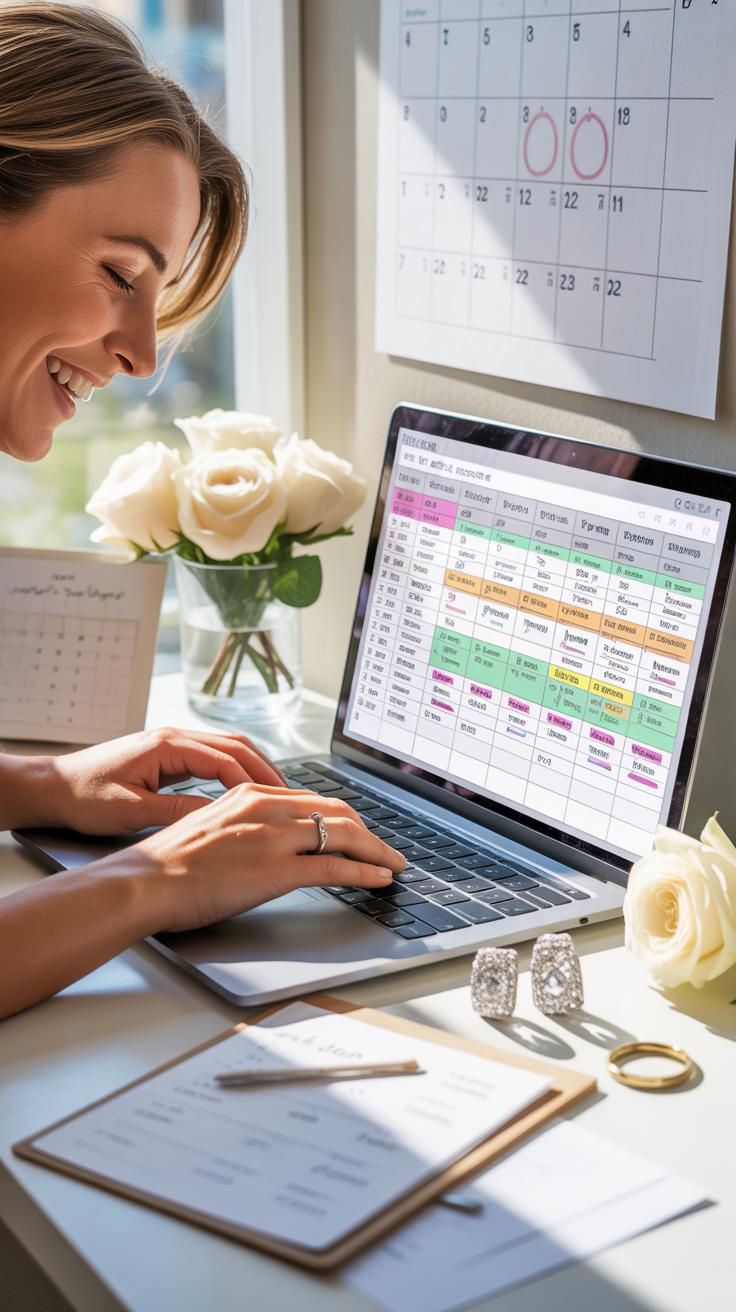
Divide your spreadsheet into twelve monthly blocks starting from your engagement date. Use the first column for the deadline month and the second for the specific task name. Place high priority items like venue booking and guest list drafting in the earliest slots. This structure prevents a pileup of work during the final weeks. It ensures you tackle big decisions before logistics.
Focus your sheet on logical progression to maintain momentum. Map out vendor deposits and contract signatures relative to your wedding date. Record every milestone from dress fittings to final headcount submissions. Use date formatting to highlight upcoming deadlines automatically. This method turns a massive project into manageable units. You see exactly what needs your attention right now and what can wait until later.
Assigning Responsibilities And Deadlines To The Right People
Create a column titled Owner to assign every task to a specific person. Do not leave any row blank. This clarity prevents confusion between partners and hired planners. Use a separate column for status updates like Pending or Complete. Assigning names creates clear accountability for each line item. It stops common planning errors where both parties assume the other is handling a task.

Update your spreadsheet weekly to reflect real progress. Shared access through cloud platforms allows all stakeholders to see their assigned duties in real time. Set clear deadlines in a dedicated column next to the owner name. This tactical approach removes emotion from the process. It replaces vague verbal agreements with a hard record of responsibility. You manage the wedding like a project rather than an event.
Coordinating Vendors And Contracts Using Wedding Planning Templates

What Vendor Details To Record In Your Wedding Planning Spreadsheet
Centralizing vendor data prevents communication breakdowns. A wedding planning spreadsheet must go beyond simple contact names. You need a master directory that acts as the single source of truth for the entire event. This tab ensures that you, your partner, and any coordinators can reach critical staff during emergencies without searching through individual email threads or paper folders.
- Primary Point of Contact: Record the specific person assigned to your event. Large catering or decor firms often employ multiple managers. Knowing your dedicated contact person ensures direct communication and reduces the risk of conflicting instructions or lost details during the final planning stages.
- Day-of Arrival and Exit Times: Document exactly when each vendor must be on-site. Venues impose strict loading dock hours. Recording these windows in your wedding planning Google Sheets helps you manage the flow of traffic and prevents bottlenecking during the setup of heavy equipment.
- Tax ID and Business License: Verify the legal standing of every pro you hire. Most venues require proof of insurance and business registration from outside vendors. Storing these numbers in your spreadsheet saves time when the venue manager asks for compliance documentation.
- Offsite Emergency Phone Number: Get a mobile number that bypasses the main office desk. Many wedding businesses close their physical storefronts on weekends to work events. You need a direct line to reach someone if a delivery is late or if a driver gets lost.
- Specific Service Inclusions: List the exact items or hours included in the base fee. Use your wedding planning spreadsheet to note if the photographer provides a second shooter or if the florist includes setup. This prevents unexpected upcharges when you review final invoices.
Organize these details into columns to enable quick sorting by category or status. This technical setup allows you to filter by confirmed versus pending vendors. Accurate data entry in your wedding planning spreadsheet Google Docs removes guesswork. High-level planning requires immediate access to every logistical fact. Use this structure to maintain total control over your event staff and their specific responsibilities.
How To Track Deposits, Payment Schedules, And Contract Deadlines
Every contract carries different financial obligations and strict deadlines. A Google Sheets wedding budget tracker should include dedicated columns for deposit amounts, remaining balances, and due dates. Failing to pay on time can lead to contract cancellation or late fees. Map out every payment milestone on a timeline. This visualizes your cash flow and ensures you have liquid funds available when high-value balances come due.

Link your payment schedule to contract expiration and review dates. Use your wedding planning Excel spreadsheet to note if a contract requires a final guest count by a specific day. Missing these windows leads to overpaying for food or losing service guarantees. Track every transaction ID and payment method used. This creates a clear paper trail for dispute resolution. Rigorous financial tracking maintains the integrity of your total wedding budget.
Planning The Wedding Day Timeline With A Wedding Planning Spreadsheet Google Sheets

How To Map Out Every Hour Of Your Wedding Day In A Spreadsheet
Open a new tab in your wedding planning spreadsheet. Create three primary columns: time, activity, and location. Use the first column to list time in thirty minute blocks. This granular view prevents scheduling gaps that cause delays. Start with the early morning hair and makeup sessions. Work your way through the ceremony and reception until the final exit of the night.
Input specific durations for every transition. Do not just list the start time of the ceremony. Include the time needed for travel between venues. Factor in photo sessions and set up requirements for vendors. A spreadsheet allows you to adjust one cell and see how it shifts the entire day. This method identifies bottlenecks before they ruin the event flow. Maintain one version of truth.
Sharing Your Day Of Timeline With Your Wedding Party And Vendors
Use the sharing settings in Google Sheets to distribute the schedule. Set permissions to view only for the wedding party. This prevents accidental edits to the master document. Create a separate, condensed view for vendors like photographers and caterers. They need specific milestones rather than the entire logistical plan. Tag key individuals in specific cells if they have unique responsibilities at certain times.

Export the final timeline as a PDF for quick mobile access. Print physical copies for the coordinator and wedding lead. Digital sheets provide real time updates if the schedule changes during the rehearsal. Ensure every vendor confirms they have the latest link. This centralized approach eliminates confusion from outdated email attachments. Your spreadsheet acts as the command center for every moving part on the wedding day.
Where To Find Free Wedding Planning Spreadsheet Templates To Get Started Faster

Top Free Sources For Wedding Planning Spreadsheet Google Docs And Sheets Templates
Google Sheets offers the most accessible starting point for wedding organization. Most users begin with the official Google Sheets template gallery. This built-in library provides a wedding planner template with pre-built tabs for guest lists and budget tracking. It integrates directly with your Google account. This makes mobile access and real-time updates simple for couples who need to share data instantly.
External websites like Verve Event Management and various bridal blogs also offer specialized Wedding Planning Spreadsheet Google Sheets. These third-party tools often provide more granular detail than the native Google templates. They include specific formulas for tax and gratuity calculations. You can find these by searching for community-driven templates. These often feature more tactical layouts designed by professional wedding coordinators for complex logistics management.
How To Customize Any Wedding Spreadsheet Template To Fit Your Unique Wedding
Every wedding has different requirements that a generic template cannot cover. You must first delete tabs that do not apply to your event. If you are not having a rehearsal dinner or a morning-after brunch, remove those sections immediately. This reduces visual clutter and helps you focus on active tasks. Customizing your columns ensures the data remains relevant to your specific venue and vendor contracts.
Conditional formatting is the most effective way to track progress status. Set up color-coded rules to highlight overdue payments or missing RSVP responses. You should also protect specific cells containing complex formulas to prevent accidental deletion. Use the data validation tool to create dropdown menus for vendor categories. This strategy keeps your data consistent. It makes filtering and sorting large lists much faster throughout your entire planning process.
Frequently Asked Questions

Why is using a spreadsheet better than a traditional paper planner for a wedding?
While paper planners are charming, a digital wedding planning spreadsheet offers unmatched flexibility and collaboration. You can share access with your partner or coordinator in real-time, ensuring everyone stays on the same page. Digital tools also allow you to sort guest lists instantly, automate complex mathematical totals, and access your data from any device, making it a more efficient way to manage the countless moving parts of your big day.
What essential tabs should I include when setting up my wedding spreadsheet?
To stay organized, your wedding planning spreadsheet should feature several dedicated tabs. Start with a comprehensive budget tracker to monitor expenses and payment deadlines. Add a guest list manager for addresses and RSVP status, a vendor contact sheet, and a detailed day-of timeline. Organizing your information into these specific categories prevents data overload and helps you focus on one task at a time without feeling overwhelmed by the process.
Can I create a professional wedding planning spreadsheet for free?
Absolutely! You don’t need expensive software to build a professional-grade wedding planning spreadsheet. Free platforms like Google Sheets or Excel Online provide robust templates and all the necessary functions to track your finances and guest data. Using these free tools allows you to allocate more of your budget toward your actual ceremony and reception while still maintaining the organized structure needed to execute a flawless, stress-free celebration.